




How to integrate Azure Entra ID with Django

Technical architecture
Mist is a web application that consists of a backend written in Django, a frontend written in React, and a communication layer based on GraphQL. In order to integrate with Entra ID, we therefore have to start the authentication session on the client side (frontend) so that the user can provide login details, and then transfer the session to the server side (backend) to check access at the application level. This article is based on this architecture.
The actual interaction with Entra ID takes place through either the Microsoft Graph API or the Microsoft Authentication Library (MSAL). Fortunately, there are existing packages that do the heavy lifting for us, so we don't have to code this from scratch!
Guide
The integration involves the following steps:
1. Create Entra ID app registrations in the Azure portal
The authentication procedure is based on connecting to a configuration (app registration) that has been created at your organization in Azure. For architectures with a client and server side, you have to create one app registration for each of them (frontend and backend), albeit with some different parameters.
We followed this recipe to configure all the necessary setup: https://django-auth-adfs.readthedocs.io/en/latest/azure_ad_config_guide.html
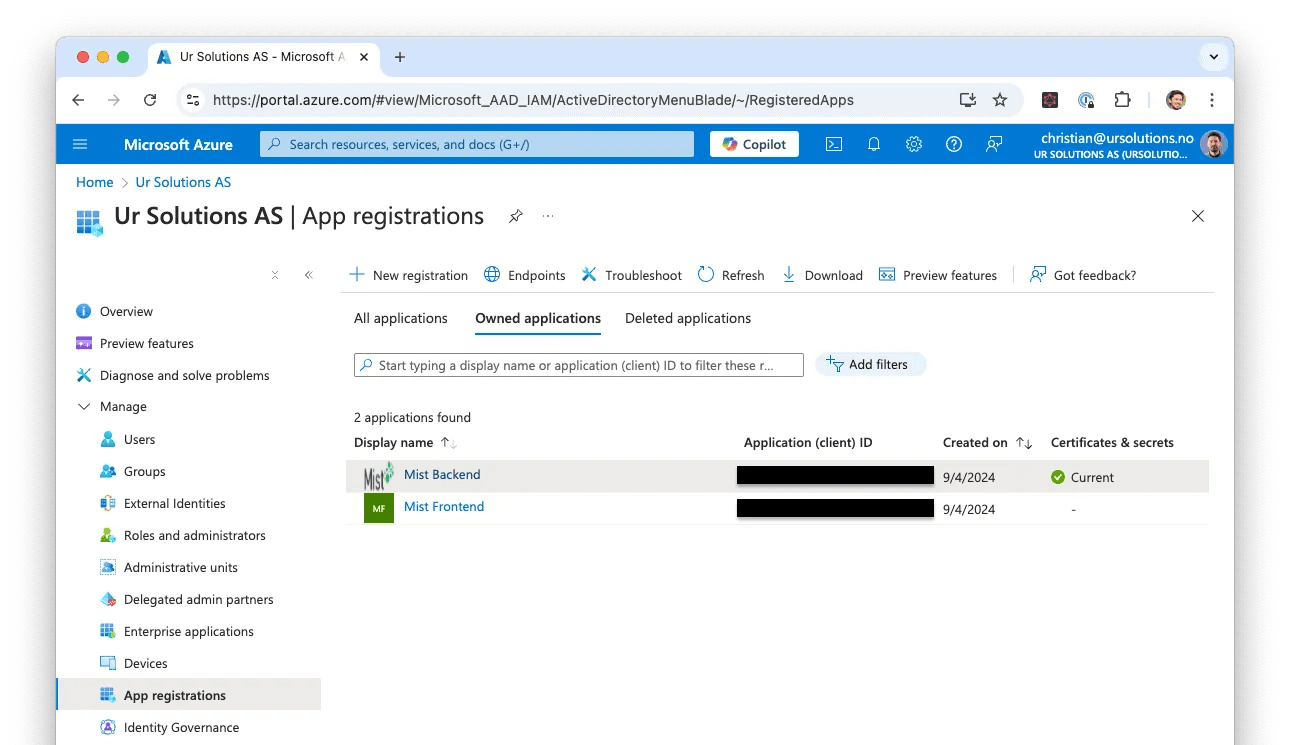
When the setup is complete, you are left with a set of configuration keys to be used by the client and server applications in the next step.
In this portal, you can also make further access restrictions and adjustments. A tip we received from the user who asked us to add support is to go to Enterprise Applications in the side menu and search for the app registrations you just created. There you can assign users and groups, so that only these have the opportunity to log in to the application.
2. Install and configure the django-auth-adfs package
We used the package django-auth-adfs to extend Django's authentication system with support for Entra ID.
First, add the environment variables AZURE_CLIENT_ID, AZURE_CLIENT_SECRET and AZURE_TENANT_ID, using the values from the backend app registration created in step 1.
Add the configuration to settings.py. There, CLAIM_MAPPING controls how
user data from Entra ID is forwarded to Django's User model. You can choose
how much data to retrieve.
3. Install client-specific packages
This step depends on the technology used by your application's frontend. For Mist, which uses React, we needed to install the packages @azure/msal-browser and @azure/msal-react.
First, add AZURE_CLIENT_ID and AZURE_TENANT_ID using the values from the frontend app registration created in step 1. Add AZURE_BACKEND_CLIENT_ID using the value from the backend app registration. Remember that these variables must be exposed to the browser; in our case, we use the REACT_APP_ prefix.
Then create a msalConfig object to handle SSO and add a
<SignInWithMicrosoft /> component to the login page. The functions
handleLogin and handleLoginFailure forward the access token from Entra ID
to the server side, where it is validated and used by the business logic.
4. Adapt existing business logic for login
Mist already supported token-based login with a username and password, and we
wanted to keep it alongside SSO. Both methods can be supported by custom
middleware that extends the existing login logic. Add the new class to the
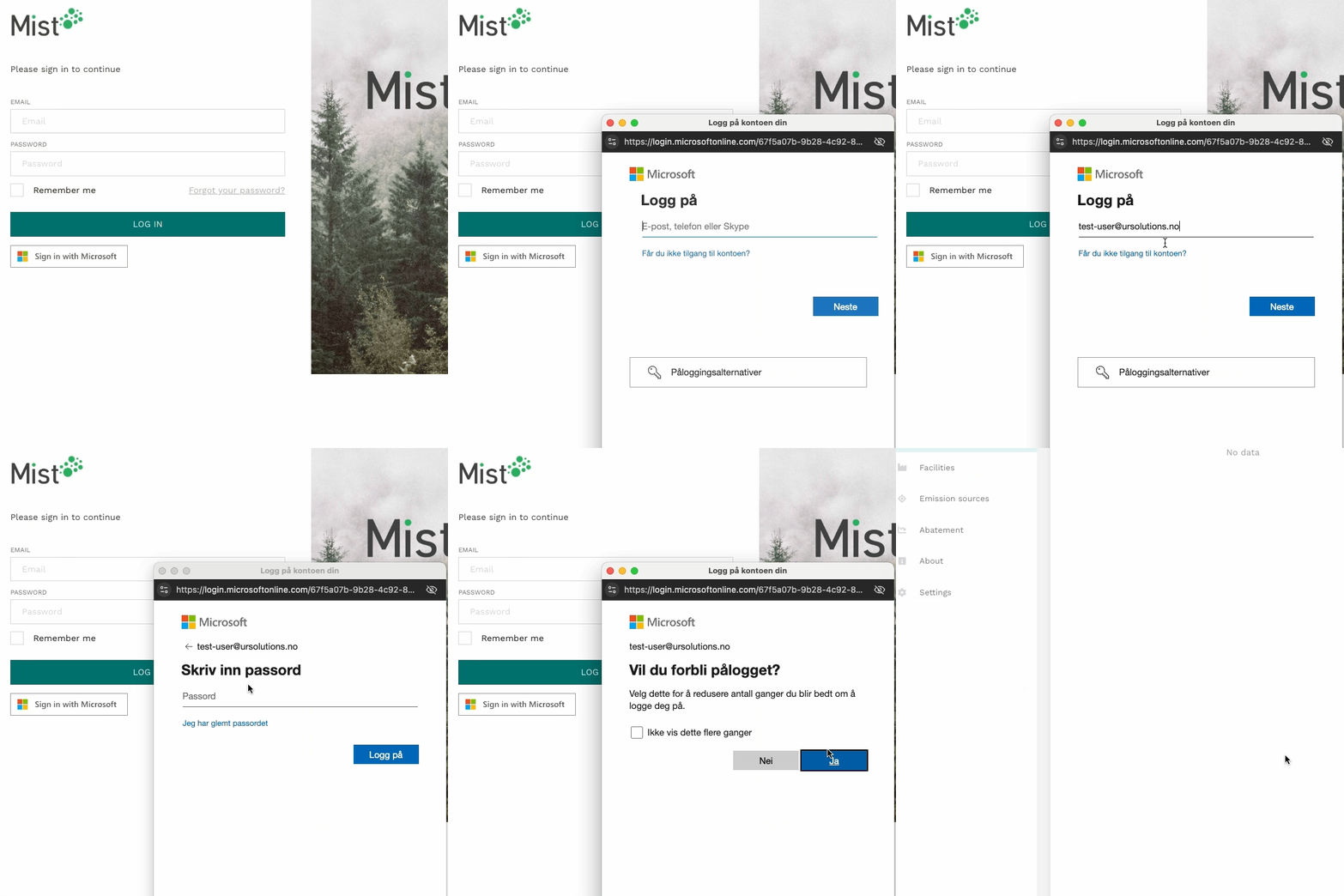
middleware list in settings.py. The result is a separate button for signing
in with Microsoft Entra ID:
In summary
If you are in a similar situation as us, we can safely say that such an integration is both possible to add (even in an existing Django application) and is also not particularly difficult or time-consuming to perform.
It is of course possible to tailor the configuration beyond the examples in this article. Here I recommend looking through the documentation for the packages that were used, to get an overview of the options available:
Build the future of your product with zero headaches
From MVP prototypes to scalable platforms, our full-stack dev team turns your roadmap into rock-solid code. Get to market faster without sacrificing quality.
Get started


